What is FDM 3D printing? Fused deposition modeling explained
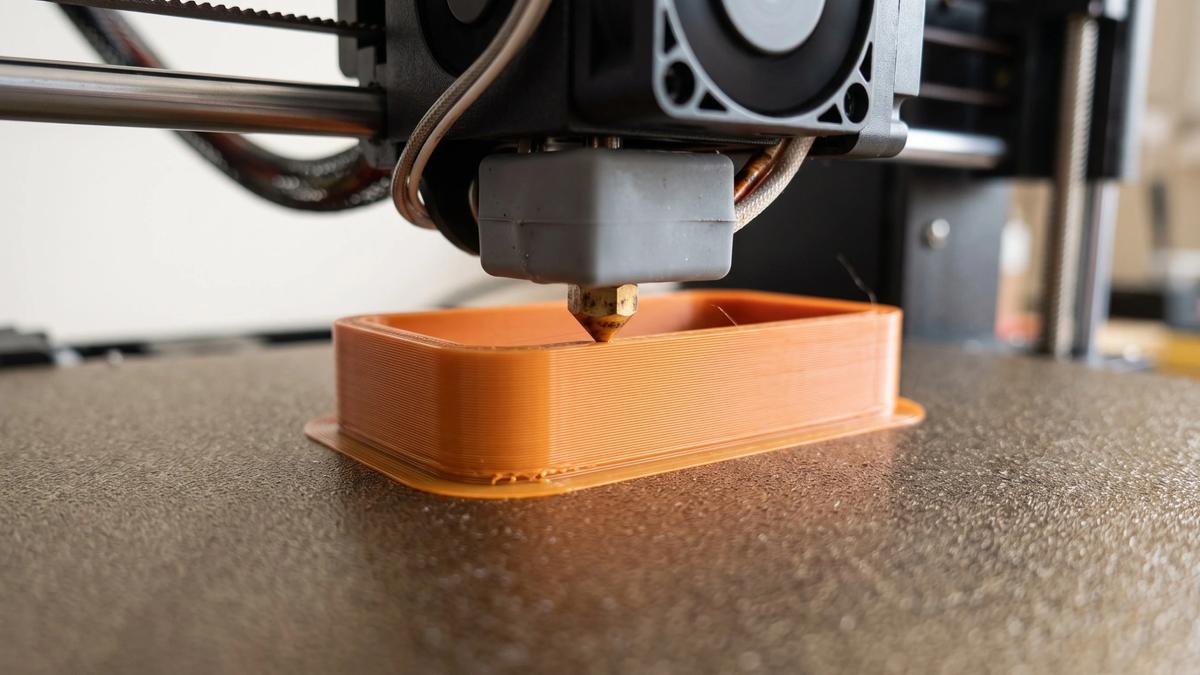

FDM (fused deposition modeling) is 3D printing with melted plastic: the printer pushes a thin strand of filament through a hot nozzle and draws your model one layer at a time, each new layer bonding to the last. It's the most common type of home 3D printer, so if you have a printer on your desk, it's probably an FDM machine.
The way FDM builds a part decides where layer lines show, which overhangs need supports and which direction the finished print is strong in. Knowing that helps you predict how a downloaded model will print before you start it.
What does FDM stand for, and what is FFF?
FDM stands for fused deposition modeling. The name describes the process: molten plastic is deposited line by line and fuses with the plastic around it as it cools.
FDM is also a trademark, owned by Stratasys, the company behind the original process. When the open-source RepRap project started building its own printers, its members coined fused filament fabrication (FFF) as a name anyone could use. FDM and FFF describe the same process, and most people say FDM either way.
In the formal ISO/ASTM vocabulary for additive manufacturing, FDM belongs to the material extrusion family. Resin printing sits in a different family, vat photopolymerization.
How FDM printing works, step by step
- Slice the model. Your STL or 3MF file only describes a shape. A slicer turns that shape into G-code: the toolpaths, temperatures and speeds for your specific printer, nozzle and filament. PrusaSlicer, Bambu Studio, OrcaSlicer and Cura are common choices, and our guide to how slicing turns a model into G-code covers the details.
- Feed the filament. The extruder, a small gear assembly, grips the filament and pushes it toward the hot end at a controlled rate. Most printers take 1.75 mm filament; the thicker 2.85 mm size is much rarer and used mainly by UltiMaker machines.
- Melt and extrude. The hot end heats the plastic until it flows, and the nozzle squeezes it out as a thin line roughly as wide as the nozzle opening - 0.4 mm on a standard nozzle.
- Draw the layer. The print head traces the walls and fill of one layer onto the build plate, and fans cool each fresh line so it holds its shape.
- Move up and repeat. The build plate drops (or the print head rises) by one layer height, and the next layer goes down on top and bonds to it. This repeats until the model is finished.
Because the slicer decides how the shape gets built, the same file can print very differently on two printers or with two profiles.
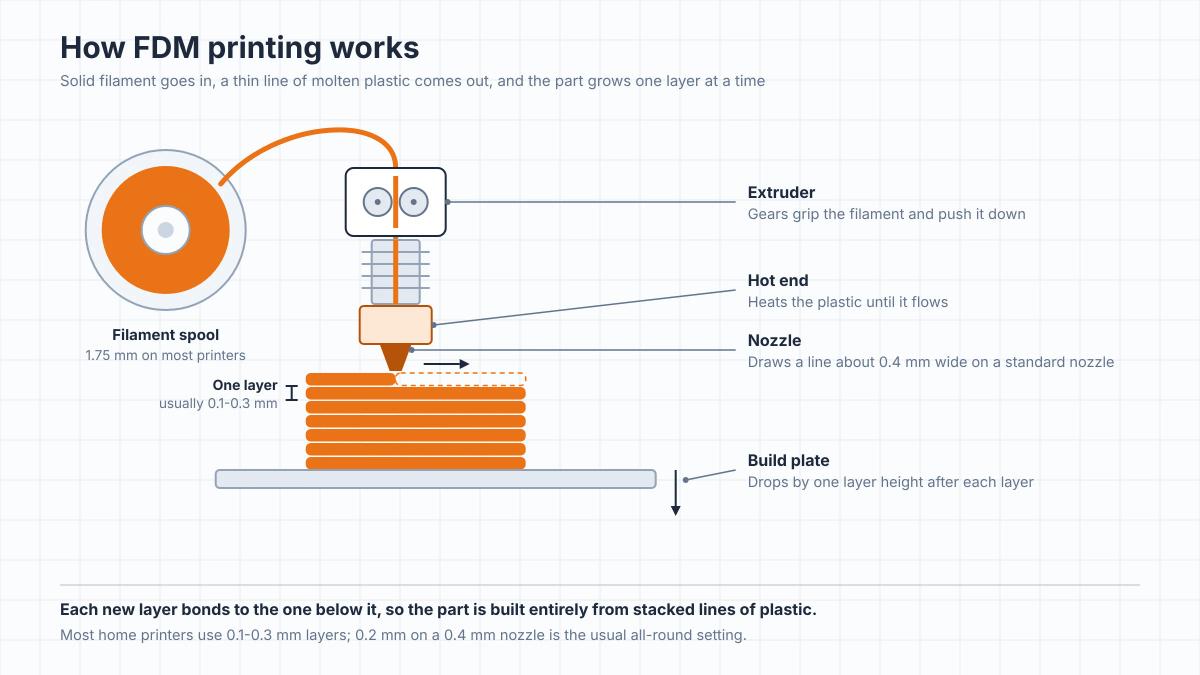
The main parts of an FDM printer
| Part | What it does | Why it matters for your prints |
|---|---|---|
| Extruder | Gears that grip the filament and push it forward | If it can't feed steadily, you get gaps and thin, under-filled layers |
| Hot end | Heats the filament until it flows | Hot ends lined with PTFE tubing top out around 240°C; all-metal hot ends go hotter, which decides which materials you can run |
| Nozzle | The tip the molten plastic comes out of | Its width sets the finest detail you can print; 0.4 mm brass is standard, and abrasive filaments like carbon fiber blends need a hardened nozzle |
| Build plate | The surface the first layer goes down on | If the first layer doesn't stick, nothing above it prints properly |
| Part cooling fan | Blows air on freshly printed plastic | Better cooling helps overhangs and small details hold their shape |
Where the extruder sits also matters. On a direct drive printer it's mounted on the moving print head, right above the hot end. On a Bowden setup it sits on the frame and pushes filament to the hot end through a long tube. Most filaments print fine either way, but flexible filament like TPU tends to buckle instead of feeding through a long tube, so direct drive is strongly preferred if you want to print soft, bendy parts.
What FDM means for the models you print
Every model you download prints according to the same physical rules. Once you know them, you can look at a file and predict where it will need help.
Layer lines come with the process
Because the part is built from stacked lines, every FDM print has visible layers. How visible they are depends on layer height and nozzle size: thinner layers make the steps smaller, at the cost of longer print times. Home printers usually run between 0.1 and 0.3 mm, and 0.2 mm on a 0.4 mm nozzle is the standard all-round compromise. As a rule, keep layer height below about 80% of the nozzle diameter.
Shallow slopes and domes show the steps most, because each layer ends a visible distance from the one below. Vertical walls hide them best. If a model needs a glass-smooth surface, plan on post-processing; our guide to smoothing a 3D print shows how to do it without sanding away the detail.
Overhangs and supports
A printer can't lay plastic on thin air. Each new layer needs something underneath it, which is where the 45-degree rule of thumb comes from: an overhang up to about 45 degrees from vertical gets enough support from the layer below to print cleanly. Beyond that, you need supports: temporary structures that you switch on in the slicer and remove after printing.
Treat 45 degrees as a guideline. Prusa's guidance puts clean overhangs at 45-60 degrees depending on nozzle and settings, printers with strong all-around part cooling can go further, and small nozzles may manage less. Short horizontal bridges between two points usually print fine without help.
Supports come at a cost: the surface they touch comes out rougher. That's why orientation matters so much. Rotating a model so fewer areas hang over empty space, or printing it in parts, can remove most supports, which is one reason many printable models come pre-split into pieces.
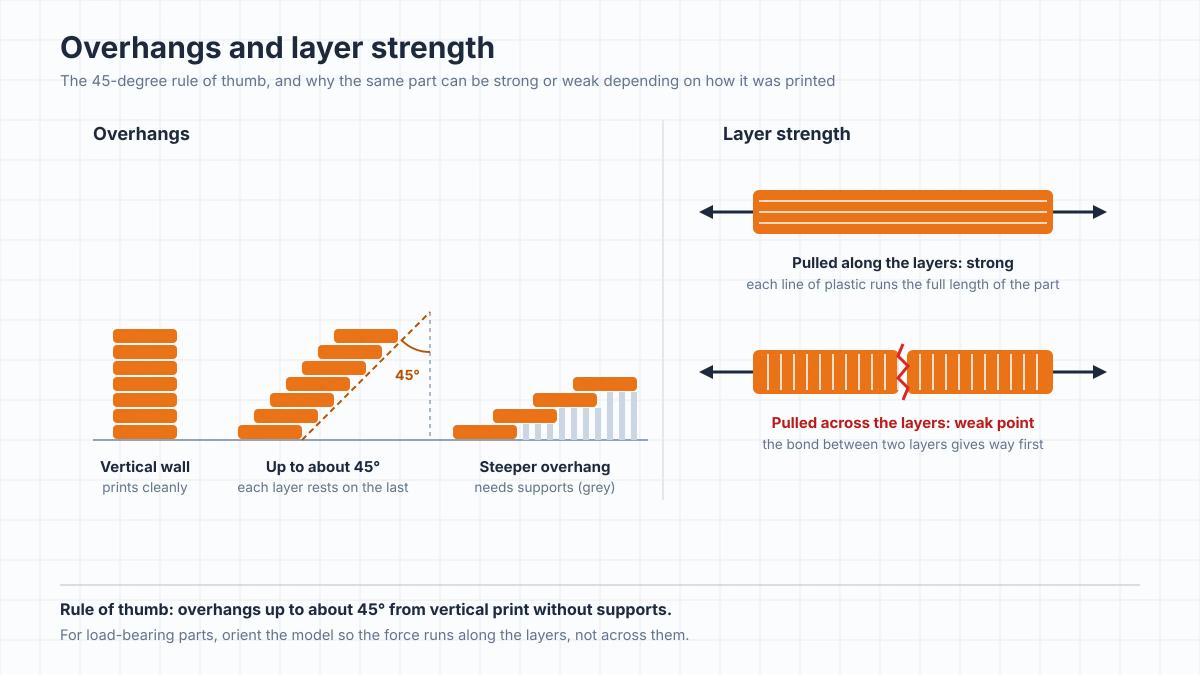
Strength runs along the layers
An FDM part isn't equally strong in every direction. Within a layer, the plastic is one continuous line; between layers, it's a bond between two lines laid down at different moments. Pull on a part in a direction that separates its layers, or bend it so the layers open up, and that bond is where it fails first.
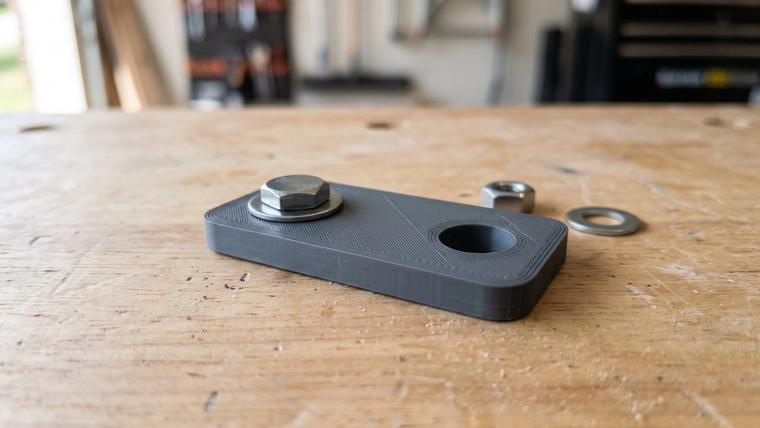
For decorative models this rarely matters. For functional parts like brackets, hooks and clips, orient the model so the load runs along the layers instead of trying to peel them apart. A hook printed lying flat is usually the stronger one, because standing up, its curve would bend right across the layer lines. Whatever the orientation, don't trust a printed part with anything safety-critical.
Your print isn't solid inside
FDM prints are rarely solid. The slicer wraps a few outer walls (perimeters) and solid top and bottom layers around a sparse internal pattern called infill. That saves time and filament, and for most models it's exactly what you want.
If you need a stronger part, add walls before you add infill. Prusa's documentation notes that strength depends mainly on the number of perimeters rather than on infill, and its own profiles use at least two.
[IMAGE: fdm-print-infill-and-walls.webp | A partly printed box paused mid-print, with solid outer walls around a sparse grid of infill inside]
The nozzle sets the limit on detail
A standard 0.4 mm nozzle is built for speed and general-purpose parts. It can't draw a line much thinner than its opening, so fine features like fingers, buckles or small engraved text soften or disappear. For miniatures, a 0.2 mm nozzle with 0.08-0.12 mm layers is the usual combination, and our FDM miniature guide has the full setup.
Color comes from the filament
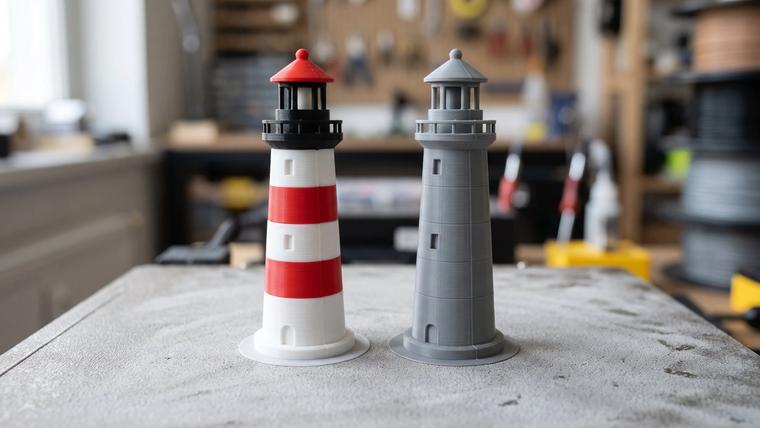
An FDM printer prints in whatever color is loaded: one spool, one color. To print in several colors, you either swap filament at set layers or use an automatic system like Bambu Lab's AMS, which switches between spools and purges the old color at each change.
The file format matters too. STL stores geometry only, while 3MF can carry color and material assignments, so for multicolor prints, download the 3MF version when a model offers one.
What you can print with FDM
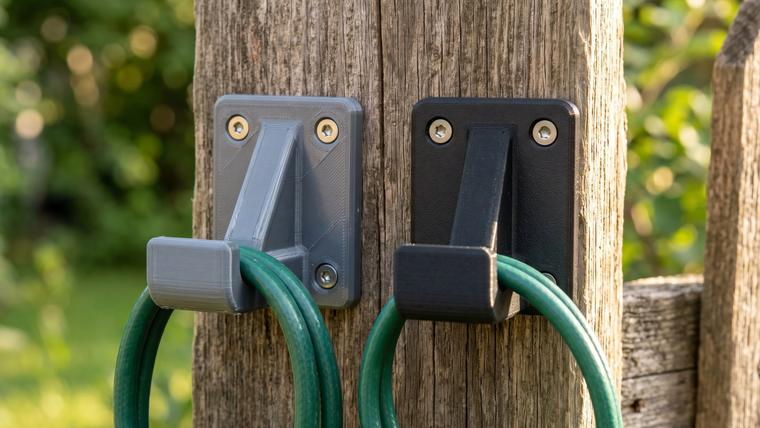
FDM covers a wide range of everyday models: functional parts, cosplay props, tabletop terrain, household items and articulated flexi toys. Large pieces like helmets are often split into parts that fit the build plate and get glued together afterward.
Which material you load depends on the job:
- PLA is the default: easy to print and stiff, a good fit for display models and most decorative prints. It softens at around 60°C, so keep PLA parts out of hot cars.
- PETG is the everyday functional material: tougher than PLA and more tolerant of heat, so it suits brackets, planters and parts that get handled.
- ABS and ASA are for parts that face real heat. They warp more and work best in an enclosed printer. ABS also gives off volatile organic compounds, including styrene, while printing, so run it in a ventilated space.
- TPU is flexible and rubbery, for phone cases, gaskets and grips, and it strongly prefers a direct drive extruder.
For a full breakdown by project type, see our guide to choosing filament for what you're printing. Miniatures print on FDM too, with the right nozzle and settings, but it's the one category where resin has a clear edge.
FDM vs resin (and where SLS fits)
| FDM | Resin | |
|---|---|---|
| How it builds | Melts plastic filament and lays it down line by line | Cures liquid resin with light, one layer at a time |
| Fine detail | Moderate | High |
| Toughness of parts | Moderate to high, depending on filament | Low for standard resin, which is brittle |
| After the print | Remove from the plate, clip supports | Wash in IPA, cure, clean the vat |
| Home setup | No liquids; ventilate when printing ABS | Gloves, safety glasses, ventilation to the outside |
| Best fit | Functional parts, props, terrain, everyday objects | Painted character miniatures |
Actual results vary by printer, settings and material.
If painted miniatures are the main point of your hobby, resin's detail is hard to beat, and our FDM vs resin comparison for miniatures breaks down the trade-offs. SLS, the third process you'll hear about, fuses powder with a laser. It's an industrial process you'll mostly meet through online print services, not on a desk at home.
A short history of FDM
- 1988 - Scott Crump tries to make a toy frog for his young daughter with a glue gun and starts thinking about building shapes layer by layer from melted plastic.
- 1989 - Crump and his wife Lisa found Stratasys, and he files the patent for the process.
- 1992 - The patent is granted, and Stratasys sells its first machine, the 3D Modeler.
- 2005 - Adrian Bowyer starts the open-source RepRap project at the University of Bath. Its members later coin the name FFF.
- 2009 - The original FDM patent expires, opening the field to more commercial and open-source desktop printers. Several of the best-known desktop brands, including MakerBot, Ultimaker and Prusa Research, grew out of RepRap, and prices fall to a small fraction of where the technology started.
FDM wasn't the first 3D printing process, though. Stereolithography, the ancestor of today's resin printers, came earlier: Chuck Hull built his first system in 1983 and received the patent in 1986.
Common FDM problems and where to start
Most FDM failures come back to a handful of causes:
- The print comes loose or lifts early. Everything sits on the first layer, so when a print fails in the first minutes, check bed adhesion first.
- Corners curl up (warping). Plastic shrinks as it cools, and uneven cooling pulls corners off the plate. ABS and ASA are the most prone to it.
- Stringing. Thin hairs between separate parts of the print. Retraction settings that need tuning are a common cause, and damp filament makes it worse.
- Pinholes and a rough surface. Filament absorbs moisture from the air, and damp filament prints with pinholes and extra strings. Keep spools stored dry.
- Extrusion thins out or stops. Often a partial clog. Our guide to clearing a clogged nozzle shows how to fix it without damaging the nozzle.
Frequently asked questions
What does FDM stand for in 3D printing?
FDM stands for fused deposition modeling. The printer melts plastic filament and deposits it layer by layer. FDM is a Stratasys trademark, which is why you'll also see the generic name FFF (fused filament fabrication) for the same process.Is FDM the same as FFF?
Yes. Members of the open-source RepRap project coined FFF as a trademark-free name for the same process. A printer sold as FDM and one sold as FFF work the same way.What is an FDM printer?
An FDM printer is a 3D printer that builds parts from plastic filament. It feeds the filament into a heated nozzle and draws each layer of the model onto a build plate, one layer on top of the next. Most home 3D printers are FDM printers.Is FDM or resin better for beginners?
For most beginners, FDM. The workflow is shorter - remove the print, clip the supports, done - and there's no liquid resin to wash, cure and dispose of. Resin is the better choice if detailed miniatures are the main thing you print and you have a well-ventilated space for it.Can an FDM printer print miniatures?
Yes, with the right setup. A 0.2 mm nozzle, layers around 0.08-0.12 mm and a model tilted so fewer surfaces need supports give tabletop-quality results, and filler primer hides most of the remaining layer lines. Resin still captures finer detail.Are FDM prints strong?
They can be, depending on the material, the number of walls and the print orientation. Tough filaments like PETG make durable functional parts, and adding perimeters raises strength more than adding infill. The weak point is the bond between layers, so orient load-bearing parts with the force running along the layers.Who invented FDM, and when?
Scott Crump, co-founder of Stratasys, came up with the idea in 1988 and filed the patent in 1989. It was granted in 1992, the same year Stratasys sold its first machine. The original patent expired in 2009, which opened the way for today's affordable desktop printers
About the author
Written by
Ethan MillerI’m a 3D printing specialist with a background in mechanical design and hands-on experience with FDM 3D printing. I focus on filament selection, slicer settings, print optimization, and troubleshooting common printing issues. I enjoy testing different materials and printing techniques and sharing practical guides that help makers get more consistent and reliable results from their printers.