3MF vs STL: which file format should you use for 3D printing?

Download a model today and you'll increasingly face a choice: the familiar .stl or the newer .3mf. One is a format from 1987 that runs on pure momentum; the other was purpose-built to fix its limitations and is already the default in modern slicers. Here's what actually differs between them, where each one wins, and a simple rule for which to grab when a model page offers both.
The short answer
STL stores the shape of a model - nothing else. It works everywhere, with everything, and for a single-color print of a single model, it remains perfectly fine.
3MF stores the shape plus everything around it: colors, materials, multiple objects with their positions, and even complete print settings. If you print multicolor, use a modern slicer, or share print-ready projects, 3MF is simply the better tool.
When a model page offers both and your setup is modern, take the 3MF. Now the reasoning.
What STL does well - and where it stops
STL describes a model's surface as a mesh of triangles, and that's the entire story: no color, no materials, no settings, not even units. That radical simplicity is precisely why it conquered the world - every slicer, every printer, every 3D tool ever written can read an STL, and the big model repositories are saturated with them. Full breakdown of how STL works if you want the complete picture.
The same simplicity is its ceiling. As printing moved toward multicolor and multi-material - and as slicer profiles became half the recipe for a good print - STL physically cannot carry that information. And because an STL is just a loose list of independent triangles, nothing in the format prevents broken geometry: holes, flipped normals, and non-manifold edges ride along silently until the slicer complains.
What 3MF actually is
3MF (3D Manufacturing Format) arrived in 2015 from an industry consortium - Microsoft, Autodesk, HP, Ultimaker, and others - with the explicit goal of replacing STL's limitations rather than patching them.
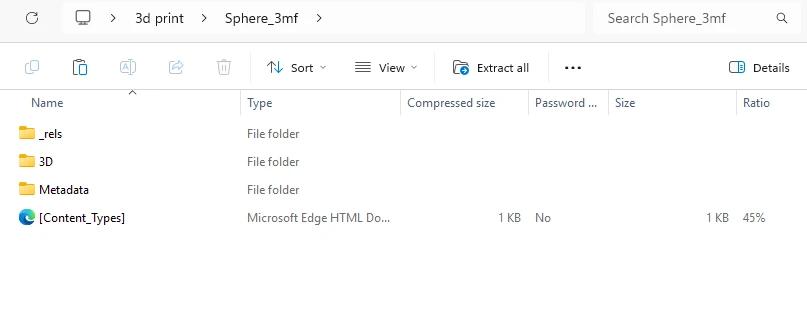
Under the hood, a 3MF file is a ZIP archive containing XML data, and that structure lets it carry what STL can't:
- Color and material data - built in from the ground up, not bolted on.
- Multiple objects with their exact positions - a whole build plate, or a multi-part assembly, in one file instead of a folder of separate STLs.
- Print settings - supports, infill, layer heights, printer profile. A 3MF project can carry everything needed to reproduce the same print on another machine.
- Watertight by design - the specification requires manifold geometry, so the class of broken-mesh errors that plague STL is largely prevented rather than repaired after the fact.
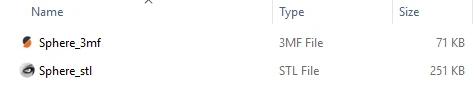
- Smaller files - 3MF is compressed and stores each vertex once, where STL redundantly repeats shared vertices for every triangle that uses them. Same model, noticeably smaller file.
This is why Bambu Studio, PrusaSlicer, and OrcaSlicer all save projects as 3MF by default - the format matches what a modern slicer actually needs to remember.
The key distinction: model vs project
Here's the mental model that clears up most 3MF confusion: an STL is a model; a 3MF can be a whole project.
A "plain" 3MF might contain just geometry (plus color) - functionally an upgraded STL. But a 3MF saved from a slicer often contains that slicer's full project state: orientation, supports, settings, plate arrangement. That's fantastic for reproducing a print exactly - and worth knowing about, because settings created in one slicer don't always transfer cleanly to a different one. When you open someone's Bambu Studio project in another program, expect the geometry to survive and some project settings to fall away.
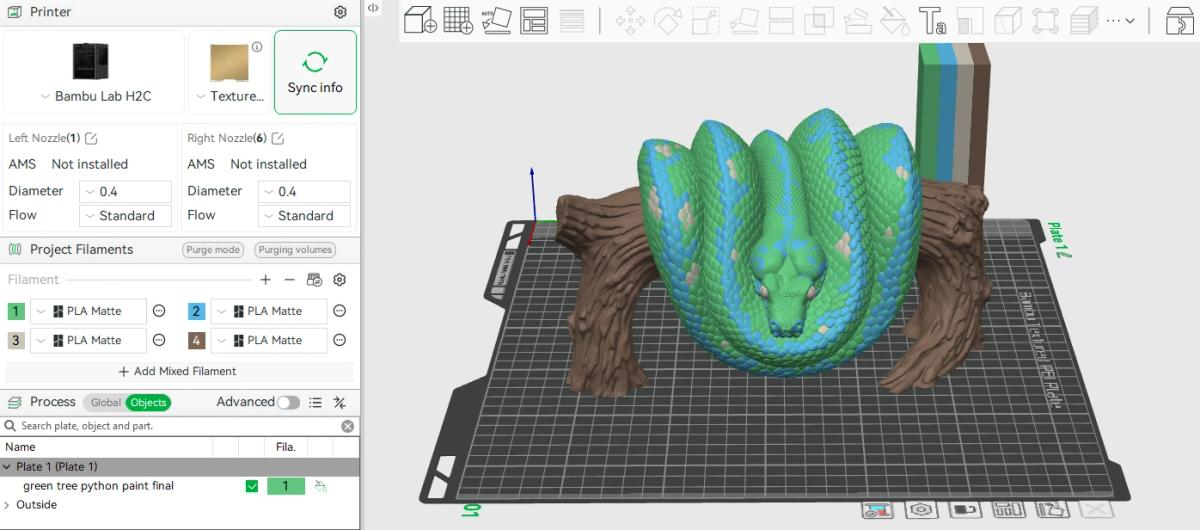
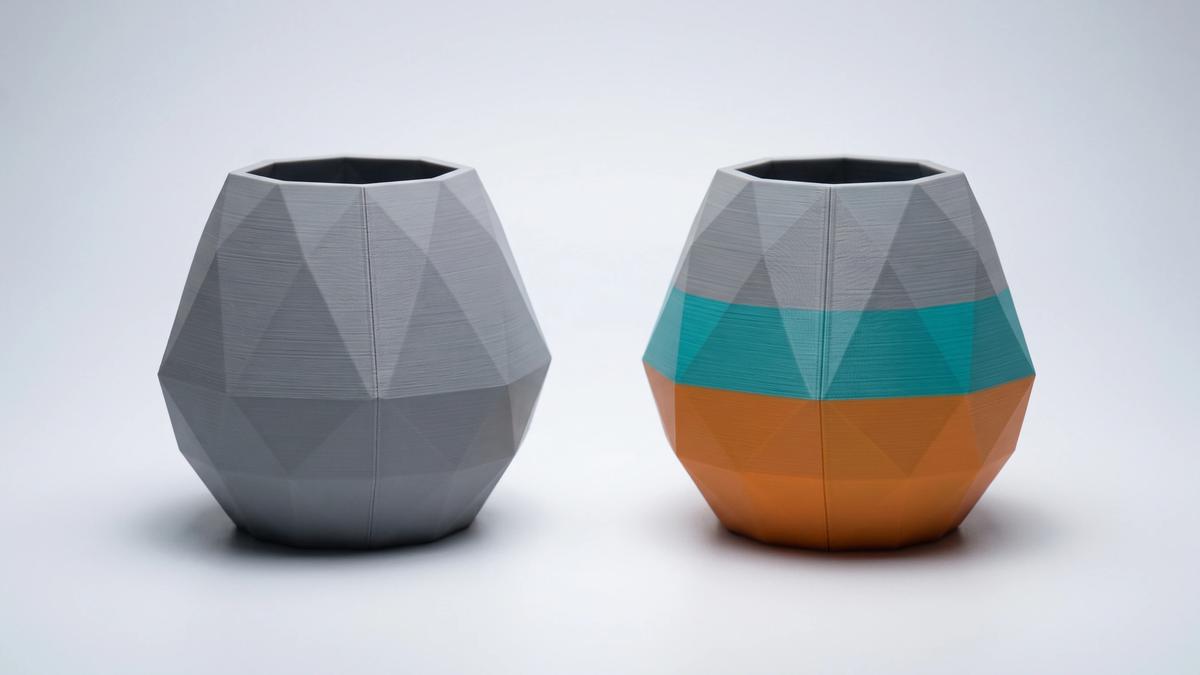
For multicolor models this project nature is the killer feature: a painted multicolor model in 3MF opens in a compatible slicer with its color assignments intact - something an STL workflow can't do at all.
Where STL still wins
3MF's one real weakness is inherited from its youth: compatibility at the edges. Very old slicers, legacy CAD tools, and some niche software either don't read 3MF or don't understand its extensions. STL's universal support remains unbeatable - if a file must open absolutely anywhere, STL is the safe bet.
STL also remains the lingua franca of model editing: the mesh-editing ecosystem grew up around it, and when you strip a model down for modification, plain geometry is sometimes exactly what you want. Here's how to edit an STL file.
And by sheer inertia, the world's model libraries hold decades of STL files that aren't going anywhere. STL isn't dying - it's settling into the role of universal fallback.
So which should you use?
Practical scenarios:
- Single-color model, any printer, maximum compatibility → STL is fine. This is still the most common case in hobby printing.
- Multicolor or multi-material printing (Bambu AMS and similar systems) → 3MF, no contest. STL can't carry color at all.
- Saving your own work in a modern slicer → 3MF - you keep orientation, supports, and settings alongside the geometry, and your slicer defaults to it anyway.
- Sharing a print-ready setup with someone on the same slicer → 3MF project. They get your exact configuration.
- Sharing with unknown or legacy setups → STL. Universal beats capable when compatibility is uncertain.
- A model page offers both → take the 3MF if your slicer is modern; grab the STL if you plan heavy editing or your toolchain is older. Model marketplaces increasingly ship both for exactly this reason.
How to convert between them
Conversion is trivial in either direction, and your slicer is the tool: open the file in PrusaSlicer, Bambu Studio, OrcaSlicer, or Cura, then export/save as the other format.
- 3MF → STL: strips everything but geometry - useful for feeding older tools or mesh editors. Color and settings are lost by definition, since STL has nowhere to store them.
- STL → 3MF: wraps the geometry in the newer container - the file gets smaller, but no new information appears out of thin air; colors and settings only exist if you add them in the slicer afterward.
Frequently asked questions
Is 3MF better than STL?
Technically, yes - 3MF stores color, materials, multiple objects, and print settings in a smaller, error-resistant file, which is why modern slicers default to it. STL's advantage is universal compatibility: every tool ever made reads it. For multicolor work, 3MF isn't just better, it's required.Can all 3D printers use 3MF files?
Printers themselves print G-code, so the real question is slicer support - and all major modern slicers (PrusaSlicer, Bambu Studio, OrcaSlicer, Cura) handle 3MF fully. Only legacy slicers and older niche software may fail to read it; for those, convert to STL.Does 3MF keep colors for multicolor printing?
Yes - that's one of its core purposes. A multicolor model saved as 3MF keeps its color and material assignments, and a compatible slicer opens it ready to print. STL cannot store color information at all.Why is my 3MF file smaller than the same STL?
3MF is a compressed archive and stores each vertex once, while STL repeats shared vertex coordinates for every triangle that touches them. The same geometry simply takes less space in 3MF.How do I convert 3MF to STL?
Open the 3MF in any modern slicer and export as STL. The geometry transfers; colors and print settings are discarded, because the STL format has no way to store them.Should I download the STL or 3MF version of a model?
With a modern slicer, take the 3MF - especially for multicolor models, where it carries the color data. Choose the STL if you plan to edit the mesh heavily or your software is older and 3MF support is uncertain.
About the author
Written by
Ethan MillerI’m a 3D printing specialist with a background in mechanical design and hands-on experience with FDM 3D printing. I focus on filament selection, slicer settings, print optimization, and troubleshooting common printing issues. I enjoy testing different materials and printing techniques and sharing practical guides that help makers get more consistent and reliable results from their printers.